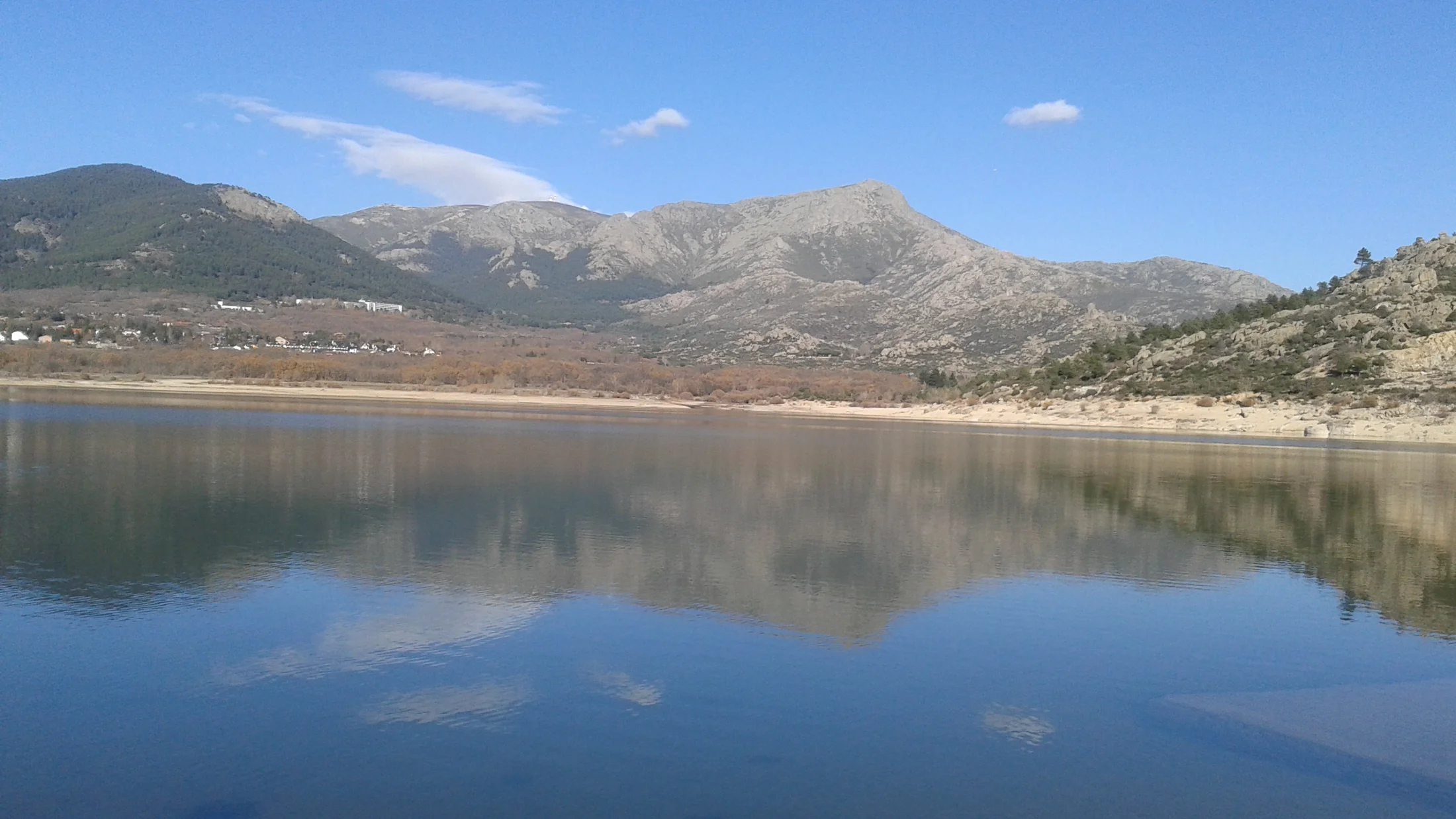
Why Mobile Nature Photography Works Right Now
You can transform your trail photos today with nothing more than your phone. The latest sensors, lenses, and software make mobile nature photography a real tool for storytelling on any route in Spain. Picture dew on broom blossoms catching first light as you steady your phone and tap to focus.
This guide focuses on practical wins: better trail photos with your phone, confident use of light and composition, and a fast, repeatable mobile edit. After reading, you’ll plan golden-hour walks, read cloud forecasts, place horizons cleanly, and export crisp files for sharing or print. Think Sierra de Guadarrama ridges at dusk, Cabo de Gata coves at sunrise, and Ebro Delta reeds in evening breeze. You’ll learn when to step closer, when to shoot wider, and how to tame bright skies without losing detail.
Try one technique on your next after-work walk and you’ll feel the shift. The same path looks new when you plan for light, choose a foreground, and nudge exposure purposefully.
How your phone became a capable trail camera
In a decade, phones went from single-lens snapshots to multi-camera systems with computational photography. Larger sensors (often 1/1.3" to 1") and wider apertures gather more light, while HDR algorithms merge exposures to protect bright clouds and deep shadows. That leap means mobile nature photography can now hold detail at dawn, recover highlights at midday, and render texture in moss and schist.
For hikers and weekend travelers, this changes the rhythm of a route. You no longer carry a heavy kit; you carry a pocket camera you already know. Modern devices offer RAW capture, stabilized lenses, and night modes that stack frames. Combined with simple tricks fotografía móvil—stability, composition, selective focus—you’ll capture scenes that feel intentional rather than lucky. Hiking becomes a series of small, attentive pauses.
You’ll still need good habits: watch the light, pick a subject, and simplify. The payoff is immediate—a crisp silhouette of a griffon vulture over Cazorla or a balanced cascade in the Picos—right from your pocket.
What you will learn and how to use it
You’ll cover the essentials that matter most outdoors:
- Timing: golden hour, blue hour, weather windows, and tides
- Permissions: where non-commercial shooting is fine and when to check park rules
- Gear and settings: sensor basics, RAW, stabilization, exposure
- Ten field-tested tricks you can try in minutes
- Composition and light: layers, lines, and clean horizons
- Fast editing: crop, tone, color, and export for social or print
- Safety and care: weather, batteries, and leave-no-trace behavior
Bookmark this and test two phone photography tips on your next walk; apply the examples to your trail photos with phone and compare before/after right away.
Picuco te puede ayudar
Does something here catch your eye?
Tell us.
Write to us on WhatsApp or email: we answer questions, find the best options and help you sort out the booking.
When To Go: Light, Weather, And Permissions That Shape Your Results
Light is your raw material, and timing changes everything you can do with a smartphone. Golden hour—the window roughly 45–75 minutes after sunrise and before sunset at Spain’s latitudes (36–43°N)—tilts the sun low, lengthens shadows, and warms tones, softening skin and stone alike. One minute, foothills glow like brushed copper; the next, the color fades and contrast stiffens.
- Golden hour on phones: Your phone’s small sensor appreciates soft light because it lowers contrast. That means less clipped white in clouds and more texture in bark. Expect warm hues and gentle dynamic range; skin tones look natural, and landscapes pick up depth from side light.
- Blue hour: The 20–35 minutes before sunrise and after sunset render cobalt skies and balanced city-river scenes. Phones handle the lower contrast well but need steadiness as shutter speeds drop.
Cloud type and cover matter more than “sunny vs cloudy.” High thin cirrus gives delicate pastel skies; broken cumulus produces dramatic “god rays” at edges; a full overcast becomes a giant softbox perfect for waterfalls and forests. AEMET’s hourly cloud cover and cloud height forecasts help you bet on soft or dramatic light; Puertos del Estado tide tables shape coastal shots, guiding safe timing for rock pools and long exposures.
Seasons set expectations:
- Winter: Low sun nearly all day in northern Spain gives side light and shorter golden hours; crisp air yields sharp vistas but windchill drains batteries quickly.
- Spring: Unstable weather brings towering clouds after noon and fresh greens; carry a light shell and microfiber cloth for drizzle.
- Summer: Early starts are best; at 07:00 in Andalusia you’ll find cool air and clean horizons before heat haze flattens contrast by 10:30.
- Autumn: Long twilights at mid-latitudes and saturated woodland color; morning mists in valleys add depth and mystery.
Read forecasts with a photographer’s eye:
- Check AEMET hourly cloud cover (aim for 20–60% for textured skies).
- Look at wind at 10 m: under 20 km/h favors reflections; over 30 km/h sculpts waves and cloud streaks.
- Note visibility and haze; after a cold front, clarity spikes.
- For coasts, pair golden hour with low tide for exposed rocks and safe footing.
Permits and access are straightforward if you plan for non-commercial shooting:
- On signed trails in national and natural parks, personal photography is generally allowed; commercial work may need authorization. Always confirm with the park’s visitor center.
- Drones require permits or are restricted in many protected areas; leave them home unless you have written authorization from the relevant authority.
- Stay on paths to protect fragile soils and heather; rangers and local trail associations work hard to maintain routes.
Safety shapes what you bring and how you move. Keep your phone warm in winter (inner pocket) and shaded in summer to prevent thermal shutdown; lithium batteries lose capacity in cold and throttle in heat. A small weather kit—thin gloves you can shoot with, a buff, a cap, and a packable shell—makes waiting for light pleasant. A power bank (10,000–20,000 mAh), a short cable, and airplane mode extend your session, and a zip-top bag protects your phone from rain at a moment’s notice. The scent of wet pine after a passing shower can be the moment you want to capture most.
A checklist before you step out:
- Sync sunrise/sunset times and set alarms for civil twilight.
- Download offline maps and AEMET radar for patchy coverage zones.
- Clean lenses and stash a lens wipe in a side pocket.
- Choose one main location and one plan B 10–15 minutes away on trail.
- Tell someone your route and ETA; on
GR-11or exposed ridges, conditions turn fast.
Where To Practice In Spain: Landscapes And Trails That Reward Your Phone
Spain’s diversity lets you match techniques to terrain without traveling far. From granite ridges to reedbeds and wave-cut platforms, each landscape teaches a different lesson in light, composition, and timing. Imagine a dawn breeze rippling Ebro Delta rice fields while you level the horizon and wait for a heron’s lift-off.
Mountains carve depth for layers and side light. In the Pyrenees, the GR-11 offers numerous balcony views over cirques where early side light chisels ridgelines. Picos de Europa mix limestone walls with beech forests and hanging meadows; plan for afternoon light raking across the Cares Gorge to practice composition by layers—foreground flowers, middle cliffs, distant peaks. Sierra de Guadarrama’s granite domes near La Pedriza give playful boulder foregrounds for ultra-wide lenses on calm evenings.
- Best traits to practice:
- Layers and depth with foreground stones, alpine flowers, or trail cairns
- Golden hour phone photos with warm edge light on ridges
- Stabilization practice in wind: brace on rock, use 3–10 s timer
- Logistics:
- Trail grades vary from family-friendly loops to steep scrambles; choose signed
PR-orSL-routes for a simple start. - Weather shifts fast; always pack a mid-layer and check AEMET mountain bulletins.
- Trail grades vary from family-friendly loops to steep scrambles; choose signed
Coastlines invite motion and minimalism. On the Costa da Morte, low tide reveals polished granite slabs and wave furrows. In Cabo de Gata, black lava fingers and pale sand simplify frames for clean horizons. The Bay of Biscay serves long swell lines that create leading lines into sunsets. Practice long exposures with ND filters or in-app stacking, shoot reflections in rock pools at dawn, and aim for spare, graphic compositions.
- Best traits to practice:
- Long exposures on cascades or waves for atmosphere
- Minimalist sky-sea-sand frames with one dominant shape
- Clean horizons using gridlines and low vantage points
- Logistics:
- Check tides (Puertos del Estado) and swell; plan safe access and exit at daybreak.
- Rocks are slippery; use tripod spikes or flat, stable rock shelves and never turn your back on waves.
Wetlands and river plains add mirror work and bird silhouettes. Doñana’s marshes glow at sunset; the Ebro Delta’s irrigation channels deliver perfect vanishing lines. Morning mist along the Sella or Tormes rivers separates trees into soft tonal layers that phones capture beautifully in blue hour.
- Best traits to practice:
- Leading lines with irrigation channels and levees
- Symmetry with reflections; stabilize and wait for wind lull
- Telephoto modules for distant birds at dawn silhouettes
- Logistics:
- Respect bird nesting seasons; stay on levees and marked hides.
- Mosquitoes can be fierce in summer; long sleeves help you wait calmly for calm water.
Forests teach texture and soft light handling. The Irati Forest in Navarre blazes in October; Fragas do Eume’s laurel and oak dips offer cool, even light year-round. Side-lit moss trunks and fern fans reward careful white balance and exposure control. Practice selective focus on fungi at knee height and layer trunks for rhythm.
- Best traits to practice:
- Texture and color rendering under diffuse canopies
- Selective focus on near subjects with layered backgrounds
- Vertical compositions that emphasize height
- Logistics:
- Slippery roots require steady footing; brace phone against trees.
- Bring a small towel; a quick wipe clears mist if humidity fogs your lens.
Páramos, dehesas, and badlands simplify shape and space. Bardenas Reales, with its hoodoos and chalky flats, offers stark lines and big skies for minimalism. The dehesa of Extremadura creates ordered oak grids, perfect for rule-of-thirds practice and long shadow play in winter. La Alcarria’s rolling plateaus and lavender fields sing at sunset—reserve space for leading paths and clean horizons.
- Best traits to practice:
- Minimalism and negative space for impact
- Rule-of-thirds landscapes with lone trees or eroded buttes
- Long shadows and soft winter light across open terrain
- Logistics:
- Summer heat is intense on open ground; start at dawn or aim for winter afternoons.
- Dust and wind ask for a pocketable cloth and a simple phone cover.
Local paths close to home are perfect laboratories as well. A canal, a hilltop hermitage, or a sheep track behind a village offers repetition and patience without long drives. Ask in town halls or with local hiking clubs for accessible SL- routes; the people who maintain those paths can point you to viewpoints you’ll never see on a map.
Gear And Basic Settings: Your Phone, Useful Accessories, And Smart Configurations
Your phone already has more camera than most hikers carried a decade ago. To make the most of it, understand a few features and carry a couple of pocket-size tools. The feel of grippy rubber on a mini-tripod in cool morning shade makes every slow shot easier.
What on the phone matters most:
- Sensor size: Larger sensors (e.g., 1/1.3" or 1") gather more light and hold detail in shadows; you’ll see cleaner files at dawn and dusk.
- Lenses: Ultra-wide, wide, and telephoto modules give flexibility; ultra-wide is great for foreground drama, while tele compresses distant ridges.
- Stabilization: Optical image stabilization (OIS) and electronic stabilization reduce shake; useful at blue hour and under forest canopies.
- RAW capability: Shooting RAW (often DNG or Apple ProRAW) preserves more data for editing, especially highlights and shadows.
- Night/long-exposure modes: Multi-frame stacking simulates longer shutter speeds; use with a tripod for water blur and low noise.
Accessories that punch above their weight:
- Compact tripod (tabletop or 20–30 cm folding legs): Stabilizes for low light, long exposures, and meticulous composition; pair with a small phone clamp.
- Clip-on ND filter (ND8–ND64): Cuts light for silky waterfalls without overexposure; look for universal clip systems that fit phone lenses.
- Remote or timer: A 3–10 s timer solves most handshake; Bluetooth remotes fit keychains and avoid introducing movement.
- Power bank (10,000–20,000 mAh) + short cable: Keeps you shooting in cold or long sessions; recharge during snack breaks.
- Rugged case + wrist strap: Adds grip and drop protection; a simple lanyard is cheap insurance on cliffs and wet rocks.
- Microfiber cloth + zip-top bag: Keep lenses clean and the phone safe from rain; a bag doubles as emergency weatherproofing.
Recommended settings and why:
- ISO: Lower is cleaner; phones auto-select, but in manual or “Pro” modes aim for ISO 25–200 in daylight and let the tripod handle longer shutter.
- Exposure compensation (EC): Dial
-0.3to-1.0 EVto protect skies; lifting shadows in edit is easier than rescuing clipped highlights. - RAW vs JPEG/HEIC: RAW for scenes with big contrast (sunrise, snow, backlight); JPEG/HEIC for quick shares when light is gentle.
- White balance (WB): Auto works well, but locking WB (e.g., “daylight” or “cloudy”) avoids color shifts during time-lapses and panoramas.
- Focus: Tap to focus and use AE/AF lock to hold exposure and focus while you recompose; on many phones, long-press on the screen toggles the lock.
Budget-friendly alternatives:
- No tripod? Brace on a rock, trekking pole, or pack; squeeze elbows to ribs and exhale slowly before tapping the shutter.
- No ND filter? Use built-in long-exposure modes or apps that blend frames; shoot at dawn/dusk when light is naturally lower.
- No RAW? Use HDR thoughtfully; expose for the sky with
-0.7 EVand let computational tone mapping do the rest.
Keep your kit small so you move freely and notice light. The less you fiddle, the more you see.
Ten Field-proven Tricks That Will Change Your Trail Photos
1.Make golden hour your default plan
Golden hour is the cheapest upgrade in photography. Low-angle sun adds depth, color, and gentle contrast that flatters small sensors. Picture warm light grazing broom and granite while shadows paint gentle stripes across a hillside.
Why it works: The soft, warm spectrum evens out high-contrast scenes, tames highlights, and reveals texture with side light. For mobile nature photography, this keeps dynamic range within your phone’s comfort zone.
How to apply it:
- Check sunrise/sunset in your location and arrive 30–45 minutes early.
- Scout two compositions: one facing the sun (for silhouettes and flares) and one side-lit (for texture).
- Enable the grid; lower the exposure to
-0.3to-1.0 EVto protect the sky. - Tap to focus on your foreground subject; long-press to lock AE/AF while you recompose.
- Shoot a bracket—normal,
-0.7 EV, and-1.3 EV—if your app allows.
Field example: On a Guadarrama ridge, place a scrub pine in the lower-right third and let the sun breathe through needles; wait for a hiker silhouette on the crest line. In seconds, you’ve got golden hour phone photos that feel cinematic.
2.Build depth with layers: foreground, middle, background
Layering creates a 3D feel on a 2D screen. Use stones, flowers, or branches as foreground anchors, then stack middle ground and distant elements. A sunlit thistle in front of a blue sierra feels like a handrail pulling you in.
Why it works: Our eyes follow near-to-far cues. When the frame offers scale steps, the brain reads space and immersion. Phones love ultra-wide perspectives that exaggerate near objects—perfect for a bold foreground.
How to apply it:
- Switch to ultra-wide; crouch until your foreground nearly touches the frame edge.
- Leave breathing space around the foreground so it reads clearly.
- Tap to focus a third into the scene; most phones increase depth of field quickly.
- Keep horizons clean; use the grid and tilt meter to avoid slanted frames.
- If the sky is bright, drop exposure
-0.7 EVand lift shadows in edit.
Field example: In Picos de Europa, set a yellow gentian at bottom-left, the gorge in the mid-frame, and cloud-wrapped peaks above. This composition technique—often called composition by layers—is a backbone of strong trail images and a cornerstone of composition tips phone users can master fast.
3.Use the rule of thirds—and break it with intent
Your phone’s grid is a guide, not a prison. Placing horizons along the top or bottom third creates balance; positioning a tree or peak at an intersection draws the eye. A gull crossing a sky at the upper-right third feels naturally framed.
Why it works: The rule of thirds moves weight away from the center, creating dynamic equilibrium. Our eyes dance between intersections and along lines, engaging longer.
How to apply it:
- Turn on the grid in camera settings.
- Place horizons on a third; pick more sky for sunsets, more land for texture fields.
- Align key subjects (lone tree, lighthouse) near intersections, not dead-center.
- Break the rule when symmetry demands it—perfect reflections or centered tunnels.
- Use exposure compensation to avoid washed skies;
-0.7 EVis often enough.
Field example: In Bardenas Reales, frame the “cabezo” slightly left on the lower-left intersection, and leave negative space of sky to the right. When everything aligns, ignore the grid and center a perfect reflection at dawn for a formal, mirror-still portrait. These are classic tricks fotografía móvil that convert snapshots into composed photographs.
4.Stabilize to avoid blur and win detail
Sharpness is a decision, not luck. Stabilize with a compact tripod, a rock, or your own body. Smooth breath, steady elbows, and a 3–10 s timer transform dim-forest mush into readable texture. You can feel calm settle into your hands as you wait for the shutter.
Why it works: Longer shutter speeds sneak in at dusk or under trees; stability keeps micro-shake from smearing fine detail. Phones rely on multi-frame processing that benefits from consistent framing.
How to apply it:
- Use a mini-tripod + phone clamp; level with the grid.
- No tripod? Wedge the phone against a rock, trekking pole, or your pack.
- Set a 3 s timer to avoid tap-induced movement; breathe out gently as it fires.
- Turn on stabilization if available; avoid tapping or bumping during multi-second captures.
- In “Pro” mode, keep ISO low (25–200) and let shutter lengthen.
Field example: In Fragas do Eume under deep canopy, brace your phone against a mossy trunk, aim for ferns at mid-distance, and let the phone pick 1/8 s while ISO stays low. Details snap into place; greens feel lush, not noisy.
5.Shoot Raw and take control of exposure
RAW files give you more editing latitude, especially in difficult light. Instead of crushed shadows and clipped skies, you get pliable data to shape later. It feels like having extra clay to sculpt after you leave the trail.
Why it works: RAW preserves more highlight and shadow detail by avoiding in-camera compression and sharpening. Manual exposure lets you bias for highlights, the hardest tones to recover.
How to apply it:
- Enable RAW: on iOS (ProRAW on compatible models) or Android (DNG in “Pro/Manual” or third-party apps).
- For high-contrast scenes, set exposure
-0.7 to -1.3 EVto protect the sky. - Keep ISO low; use a tripod if shutter slows.
- Edit on the phone with Lightroom Mobile or Snapseed; lift shadows, pull highlights, add gentle contrast.
- Export at full resolution in sRGB for web or as 16-bit TIFF/JPEG for print.
Field example: At Cabo de Gata sunrise, expose for the orange band, not the black lava rock. Later, lift rock shadows, recover subtle gradations in the sky, and warm the white balance slightly. That’s the full loop—capture, refine, share—of mobile nature photography.
6.Guide the eye with lines and shapes
Lines are arrows for attention. Trails, rivers, ridges, fences, and furrows direct the viewer where you want them to look. A sinuous path catching light works like a hand gesture guiding a friend across the frame.
Why it works: The human eye follows contrast and direction. Natural lines provide both, structuring space and simplifying reading.
How to apply it:
- Walk until lines start at a corner or edge; avoid lines exiting awkwardly mid-frame.
- Use a low vantage to exaggerate a path’s curve; ultra-wide helps.
- Balance strong diagonals with a counterweight subject (tree, peak, person).
- Keep verticals straight in forests; tilt meter prevents “falling trees.”
- When lines are scarce, look for repeating shapes—hay bales, olive rows.
Field example: In the Ebro Delta, set the canal at the lower-left corner, let it lead to the horizon, and place a small building or tree near the end point. The frame becomes a visual sentence with subject and verb.
7.Take charge with selective focus and exposure
Your phone wants to average everything, but you can tell it what matters. Tap to focus, slide to set exposure, and lock both before recomposing. In a heartbeat, a bright sky calms and your subject pops. You might hear the soft beep or see the lock icon as your cue.
Why it works: AE/AF lock prevents the camera from hunting when subjects or light change during composition. Protecting highlights keeps files clean; you can recover shadows more gracefully later.
How to apply it:
- Tap on your main subject; long-press to lock AE/AF (varies by model/app).
- Slide exposure down until bright clouds retain texture.
- For backlight, shift focus slightly toward the lit edge to gain micro-contrast.
- Switch to manual focus for macro-esque scenes (fungi, flowers) if available.
- Recompose without losing your chosen focus and exposure.
Field example: Against a blazing Cantabrian sky, tap-lock on a sunlit cliff face, pull exposure down, and frame the sea as negative space. Result: detail in rock and controlled highlights, not a blown-out stripe.
8.Create mood with long exposures and motion
Motion adds emotion—misty waterfalls, streaked clouds, silky waves. Phones can fake longer shutters by stacking frames or, with ND filters, actually lengthen exposure. The hush of a 1-second capture feels like the scene is holding its breath with you.
Why it works: Long exposures average change over time, smoothing chaotic textures and revealing flow. They also simplify compositions by removing small ripples and visual noise.
How to apply it:
- Mount on a tripod; stability is non-negotiable.
- Use an ND8–ND64 filter for daylight water; without ND, shoot at dawn/dusk.
- Try an in-app long-exposure/“Live” mode or a stacking app; aim for 0.5–2 s on streams, 1–4 s on waves, 10–30 s on clouds (with ND).
- Lower exposure to protect highlights; check histograms if available.
- Fire with a timer or remote; review for blown highlights and adjust.
Field example: In the Deva River cascades, aim for 0.7–1.3 s to turn water into ribbon while moss remains crisp. At low tide on the Basque coast, 2–3 s turn backwash into mist around black rocks, isolating shapes.
9.Change your perspective: go low, go high, go weird
Fresh angles wake up familiar places. Put the phone at ground level for big-sky drama or raise it overhead to simplify lines. Tilt up for a bold “contra picado” that empowers a lone tree; point straight down for patterns at your feet. Dust tickles your knees as you crouch at the path’s edge.
Why it works: Perspective controls scale and emphasis. Low angles exaggerate foregrounds, high angles flatten and clarify geometry, and unusual viewpoints trigger curiosity.
How to apply it:
- Go low: set the phone just above the ground; include a near anchor like a stone or flower.
- Go high: hold overhead for beach patterns and tide lines; keep arms stable and use a timer.
- Try nadir (straight down) for textures—leaf litter, cracked clay, foam lace.
- Combine with the rule of thirds or dead-center minimalism for intent.
- Keep yourself safe; don’t lean over edges or stand on unstable rocks.
Field example: On a lavender track in La Alcarria, ground-level framing turns rows into purple rivers pouring toward the horizon. At a cliff-top mirador, a careful overhead angle makes sinuous estuary channels read like etchings.
10.Simplify for impact: practice minimalism and clean frames
Less often feels like more. Strip the frame to one subject, one background, and a few supporting lines. Empty space adds force. The quiet between wind gusts settles reeds into stillness like a held note.
Why it works: Phones can resolve detail but get overwhelmed by clutter; minimalist compositions reduce distractions, strengthen subject identity, and translate well to small screens.
How to apply it:
- Ask: “What’s this photo about?” Remove everything that doesn’t serve that answer.
- Use a longer lens to compress and isolate; or step closer with ultra-wide and put the subject large.
- Find clean backdrops—sky, sea, uniform fields, dune faces.
- Use color contrast (yellow broom vs blue sky) or tonal contrast (dark tree vs pale fog).
- Edit with restraint: crop to balance, lower saturation slightly, add micro-contrast, and leave space.
Field example: In Bardenas, frame a lone butte against a blank sky; place it on a third with nothing else competing. On a Galicia beach in fog, isolate one rock and let gray gradient water hold it in silence. This pairs beautifully with a minimalist mobile edit—few moves, big clarity.
Composition, Light, And A Fast Mobile Edit That Ties It All Together
Composition deepens when you add nuance to the basics. After thirds and layers, explore symmetry, frames-within-frames, and tension lines. In forests, keep verticals straight by minding your tilt; in cities-on-the-edge, mirror bridges or boardwalks for formal balance. A single gull crossing a cobalt sky can be the only punctuation you need.
Work light on its own terms. Golden hour rewards side light on texture; blue hour brings even contrast for reflections and city-meets-coast scenes. Backlight can be your ally—silhouette a cork oak or place the sun behind a ridge to avoid lens flare; a fingertip can flag the sun off the lens for a cleaner file. Use shadows as shapes, not just absences; long winter shadows across dehesa grass make instant leading lines. In high-contrast midday, shift to subjects that love it: black-and-white shapes, stark cliffs, and abstracts.
Make editing a short, repeatable loop:
- Choose your app: Snapseed (free), Lightroom Mobile (free + premium tools), Darkroom (iOS), VSCO (looks/presets), and built-in editors for quick wins. Halide, ProCam, or Moment Pro Camera offer manual control if your default app is limited.
- Start with crop and horizon: Level first, then refine composition (thirds, symmetry).
- Exposure and contrast: Pull highlights down to recover sky, lift shadows modestly, and add contrast with curves rather than the blunt slider when possible.
- Color: Set white balance consistently—daylight for warm sunsets, cloudy for cool mists—to avoid color drift. Nudge vibrance, not saturation, to keep skin and greens natural.
- Presence: Add a touch of clarity/texture for rock and bark; avoid over-sharpening small sensors.
- Local adjustments: Brush a little exposure onto a dark foreground, or burn (darken) a bright corner that distracts.
- Presets: Build your own look—a subtle S-curve, slight warm white balance, and +10 vibrance. Save it and apply on sets for coherence.
Export smartly for your destination:
- Social: sRGB, long edge 2048–3000 px, 80–90% JPEG quality; avoid heavy compression halos.
- Print: Full resolution, TIFF or high-quality JPEG, sharpen for print if the app supports it; at small sizes (13×18 cm), phone files shine.
- Archiving: Keep RAWs for hero shots; cloud-sync on Wi‑Fi to avoid data spikes.
Maintain a consistent style by limiting yourself to two or three color palettes and a handful of compositional habits. Spain’s variety easily tempts eclectic edits, but coherence makes your feed or album feel like a journey, not a scrapbook. The smell of salt and wild thyme in a single series can become a signature if your tones and framings hum in the same key.
On-trail Practicalities And Safety For Photographers With A Phone
Fieldcraft keeps you comfortable and your phone working. Batteries die faster in cold and bright sun can overheat devices; stash your phone inside your jacket in winter and shade it in summer. The sensation of a warm phone coming alive again from an inner pocket is a small relief.
Protect your kit:
- Weather: A simple zip bag handles sudden showers; add a thin, grippy case and wrist strap for wet or exposed spots.
- Lens: Clean often; sunscreen smears ruin contrast more than you think. A tiny microfiber lives in your wallet.
- Drops: Use a lanyard above cliffs and on slippery slabs; keep two-hand grip when leaning.
Power and data:
- Bring a 10,000–20,000 mAh power bank and a short, durable cable.
- Airplane mode plus GPS keeps maps working while saving battery.
- Back up nightly on Wi‑Fi: auto-upload RAW and JPEG to cloud folders; if offline, consider a small USB drive with OTG adapter.
Navigation and communication:
- Download offline maps; mark two or three photo spots with notes about light direction.
- Tell someone your plan and ETA; signal fades in gorges.
- Carry a whistle and a small headlamp; night descents happen when blue hour extends your session.
Work with the landscape and its people:
- Stay on paths; crusts in badlands and dunes are fragile. Rangers and local trail crews maintain access—your care keeps it open.
- Close gates and don’t block tracks; shepherds and farmers rely on them.
- Wildlife: Use tele modules for distance; avoid playback calls or baiting. During nesting seasons in wetlands, give extra space.
Group sessions:
- Agree on pace and re-group points so no one feels rushed.
- Take turns at prime spots; a 2-minute rotation keeps energy high.
- Share a tripod by swapping clamps, not the whole rig, to save time.
Environmental care (leave no trace):
- Pack out micro-trash: lens wipes, snack wrappers, and tape tabs.
- Step on durable surfaces when you go low for a shot; avoid trampling delicate plants.
- Respect quiet places and others’ experience; the magic you found is shared.
Emergency prep:
- Weather turns: If thunderheads build, descend from ridges—photos can wait.
- Heat: Start early; drink before you’re thirsty; shade your phone to avoid shutdowns.
- Cold: Gloves you can shoot with and a buff keep dexterity; a spare cloth reverses condensation fog on lenses.
Think of these practices as part of the craft—habits that help you keep making images for years, with gratitude for the communities and landscapes that host you.
Frequently Asked Questions
What phone do I need and which apps should I start with?
You don’t need a flagship to win; a recent mid-range phone with a larger sensor, optical stabilization, and the option to shoot RAW helps most. Prioritize a clean lens, stable hold, and light awareness over gear. For camera control, try built-in “Pro” modes, Halide (iOS), or Moment/ProCam; for editing, start with Snapseed (free) and Lightroom Mobile (free + premium). Explore phone photography tips inside these apps—exposure compensation, white balance lock, and grid—and you’ll unlock 80% of smartphone landscape photography gains fast.
How do I edit quickly on my phone without losing quality?
Use a simple four-step flow that takes under three minutes: crop and level, pull highlights down and lift shadows slightly, set white balance consistently (daylight or cloudy), and apply a light preset you saved. In Snapseed, Tune Image, Details, and Curves do the heavy lifting; in Lightroom Mobile, use Light (Curves), Color (WB), and Effects (Texture). Export at full resolution in sRGB at 80–90% JPEG quality to preserve detail; avoid stacking multiple heavy filters that can introduce artifacts.
How do I avoid overexposing the sky on bright days?
Protect highlights at capture. Turn on the grid and lower exposure compensation by -0.3 to -1.0 EV until clouds show texture. Tap to focus, then lock AE/AF and recompose; if your app shows zebras or histograms, use them to avoid clipping. In edit, you can recover more in RAW; in JPEG/HEIC, keep adjustments gentle to avoid halos.
Are long exposures possible without filters?
Yes, at dawn, dusk, or under heavy cloud, in-app long-exposure or “Live” photo modes can stack frames to simulate 0.5–2 s blur, especially for waterfalls and small waves. Stabilize with a tripod or rock and use a timer. For midday water, a clip-on ND8–ND64 makes motion blur smoother and prevents overexposure; aim for 1/2–2 s on streams and 1–4 s on waves.
What’s the best way to keep batteries alive on cold or hot days?
In cold, keep your phone in an inner pocket and connect it to a power bank during breaks; lithium cells lose capacity below 0°C. In heat, shade the phone between shots, avoid dashboard mounts, and close heavy apps; if it overheats, stop and cool it gradually in shade. Airplane mode and lower screen brightness save power year-round.
Do I need permits to photograph in parks?
For personal, non-commercial photography on marked trails, most Spanish national and natural parks allow it without permits; commercial shoots or drones often require authorization. Always check the park’s website or visitor center, respect seasonal restrictions (nesting, fire risk), and stay on paths to protect habitats.
Book your experience — discover outdoor activities in Spain with providers verified by Picuco.
Conclusion
You now have a clear field kit: time your light, stabilize, compose with intent, and finish with a fast, consistent edit. Try at least three techniques on your next outing—golden hour planning, layered compositions, and a gentle -0.7 EV sky save—and compare before and after to feel the leap. Share your results with friends or your local hiking group, and tag your favorite Spanish landscapes so others can learn from your view. When you’re ready to pair photography with a new route, explore curated nature experiences across Spain at your own pace and keep building a body of images that honor the land and the people who care for it.